Connect Wallet - TokenPocket
Browser extension (Chrome)
Official resources
You can use the official TokenPocket documentation: TokenPocket Help Center.
How to install
Extension guide
Alternatively, follow the official guide: Installation Tutorial.
- Go to https://extension.tokenpocket.pro.
- Click Get it on Chrome. You will be redirected to the Chrome Web Store.
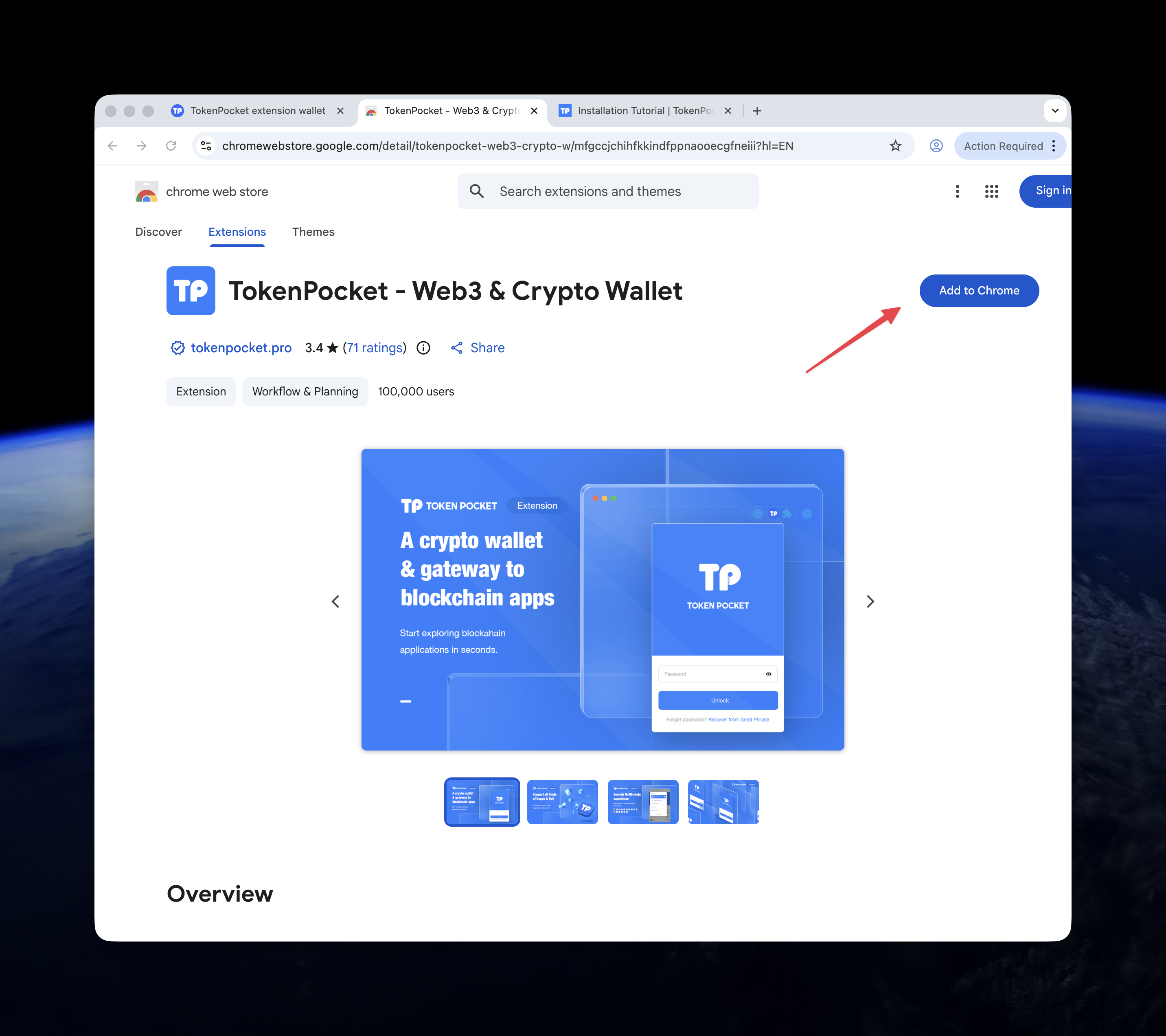
- Click Add to Chrome.
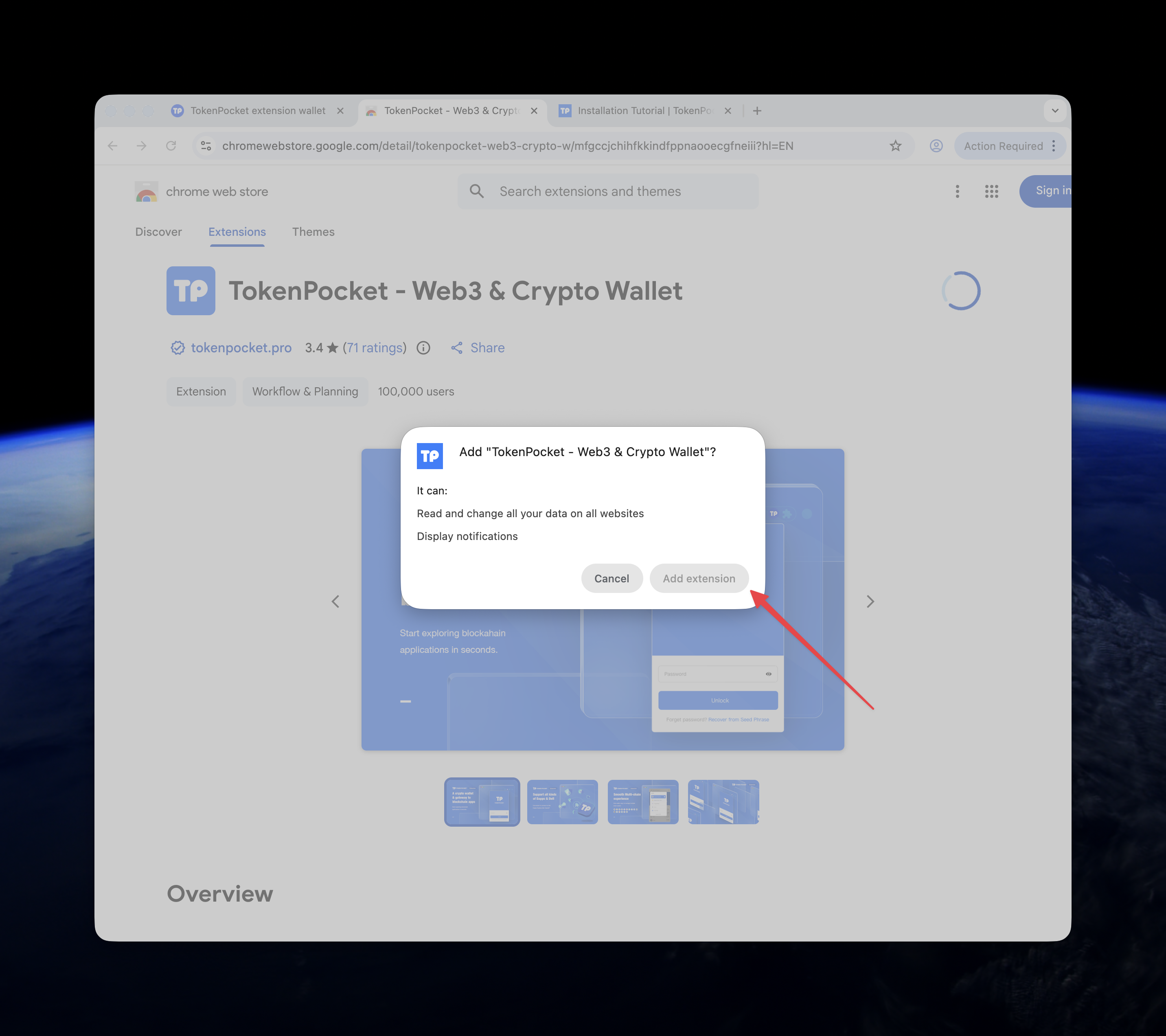
- In the confirmation pop-up, click Add extension.
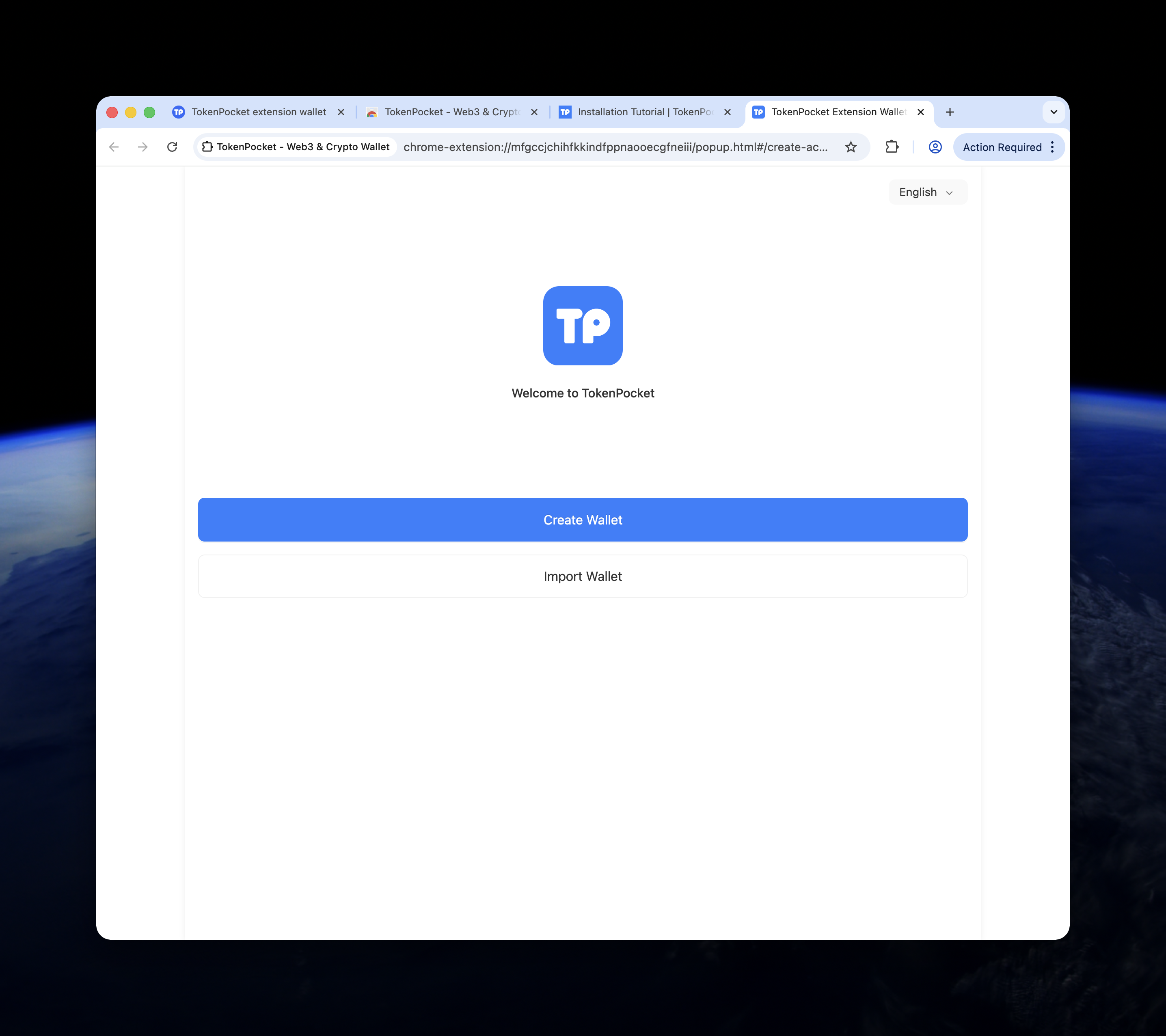
- After the extension is installed, you will return to your browser. The TokenPocket icon will appear in the toolbar, and the Getting Started screen will open.
Using the extension
Step 1: Create a wallet
- On the Getting Started page, click Create Wallet.
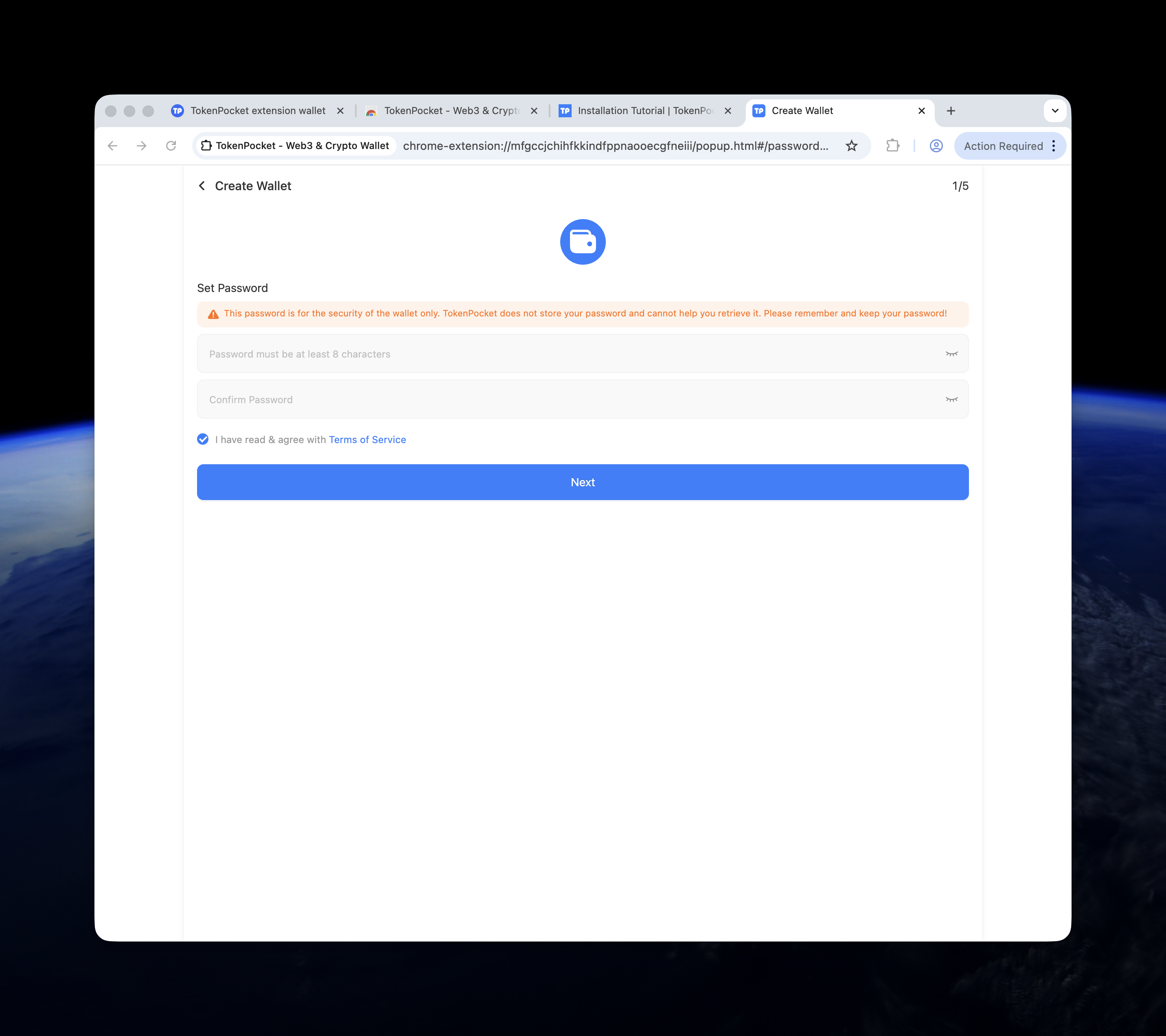
- Set a password for your wallet.
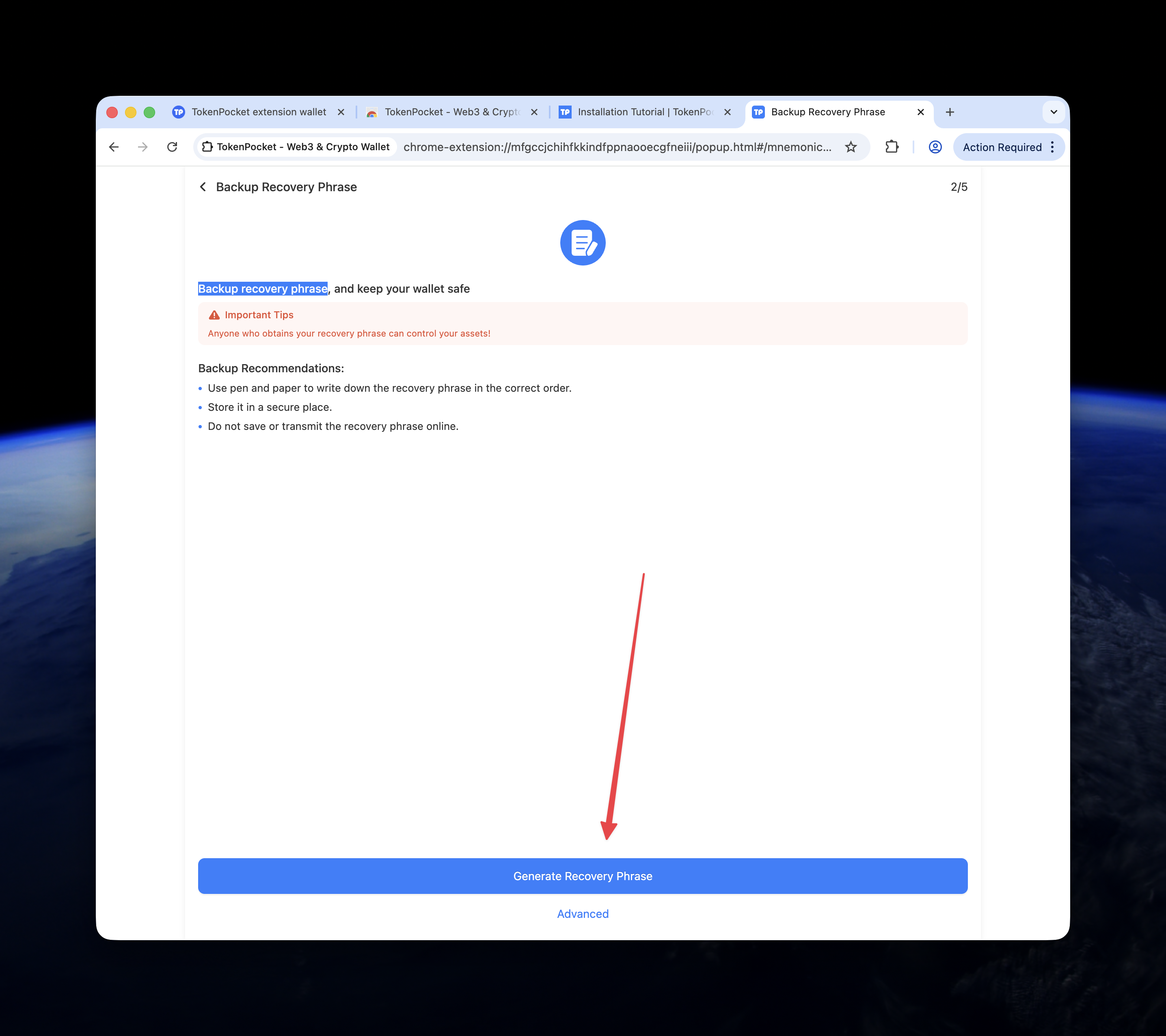
- Back up your recovery phrase (seed phrase). Write it down and store it in a safe place. You will need it to restore your wallet.
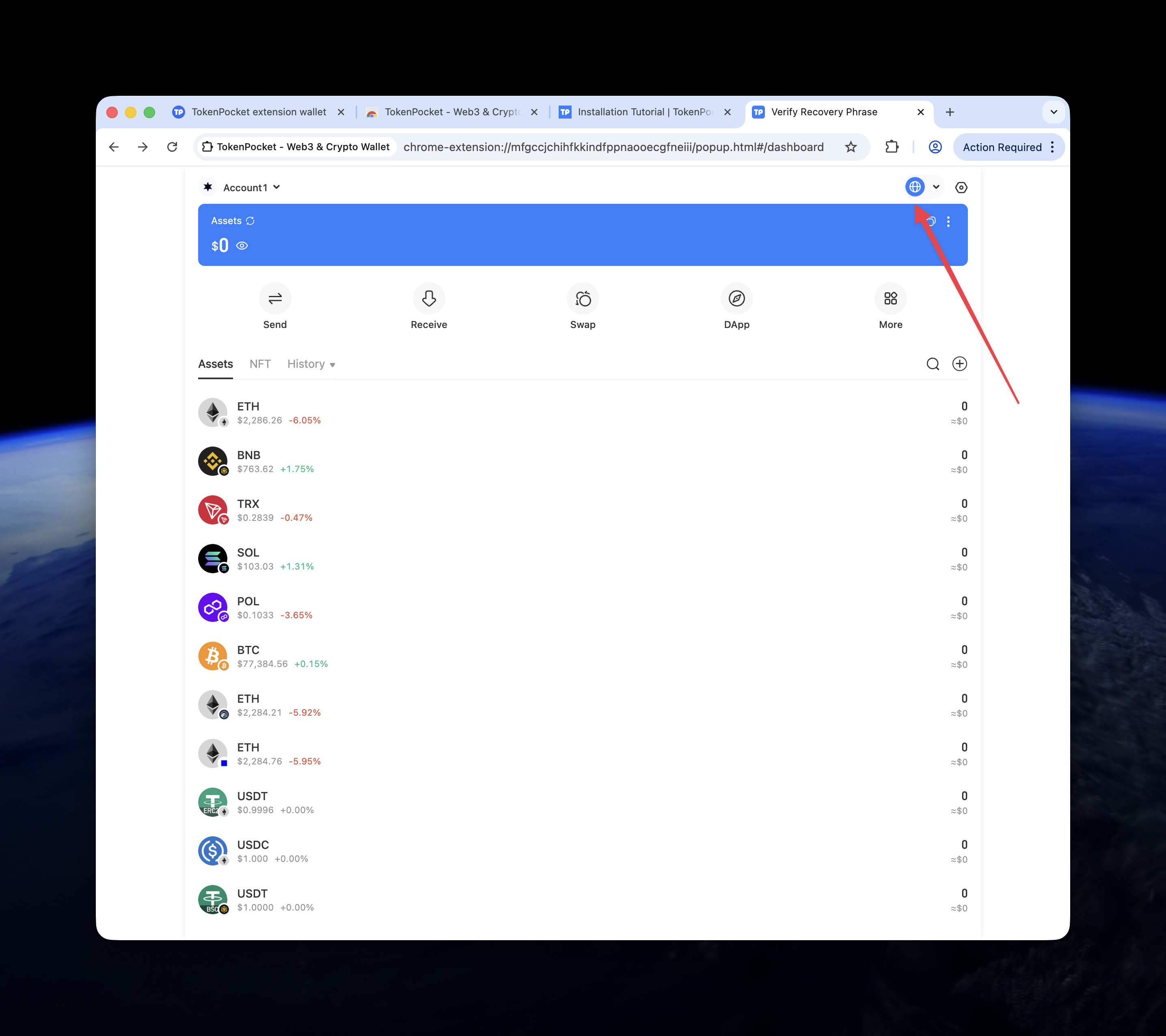
- After you verify the recovery phrase, you will see the TokenPocket wallet dashboard.
Keep your recovery phrase safe
Never share your recovery phrase with anyone. Anyone with access to it can control your wallet and funds.
Step 2: Add Waterfall network
- On the TokenPocket wallet dashboard, click the network list icon (to switch or add networks).
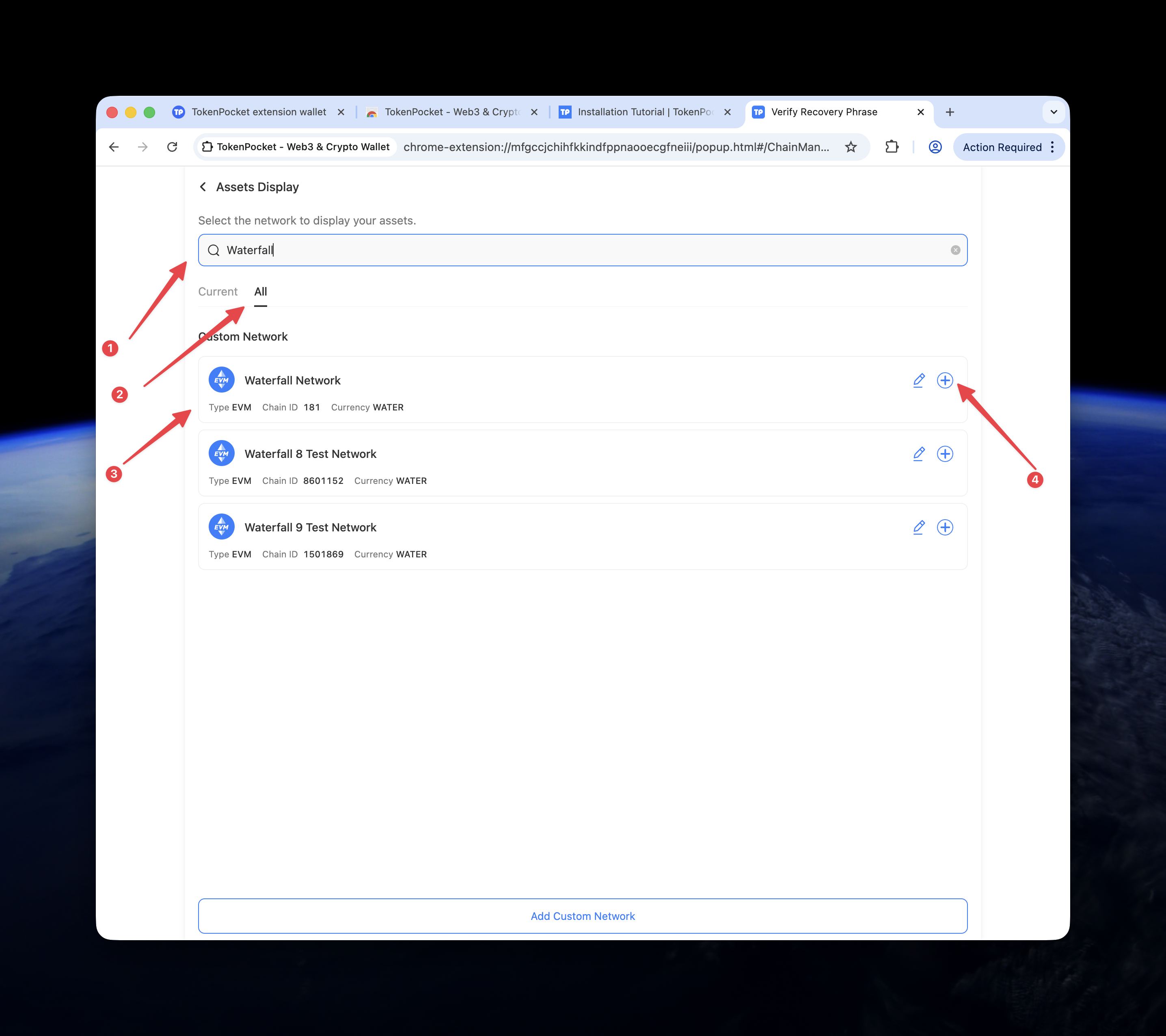
- In the search field, enter Waterfall. Switch to the All tab.
- Check that the network parameters match the following:
- Chain ID:
181 - Currency symbol:
WATER
- Chain ID:
- Click the plus (+) button to add the network.
- After the network is added, you can receive and send WATER using your TokenPocket wallet.
TokenPocket mobile app (Android / iOS)
Use the TokenPocket mobile app to create a wallet and add the Waterfall network on your phone.
Install the app
- Go to https://www.tokenpocket.pro/en/download/app.
- Download and install the Android or iOS version from the official store (Google Play or App Store).
Create a wallet and add Waterfall
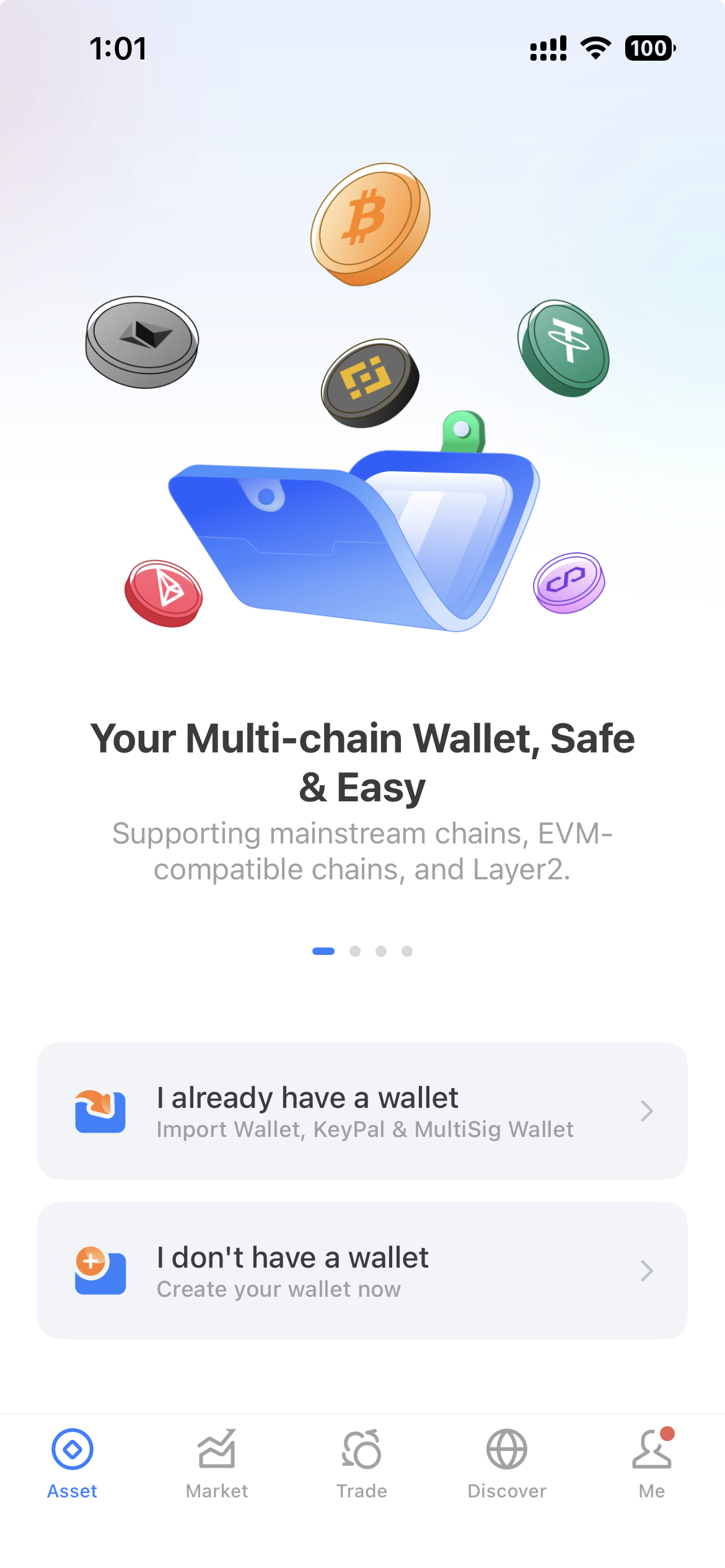
- Open TokenPocket. If you don’t have a wallet yet, tap I don't have a wallet to create one.
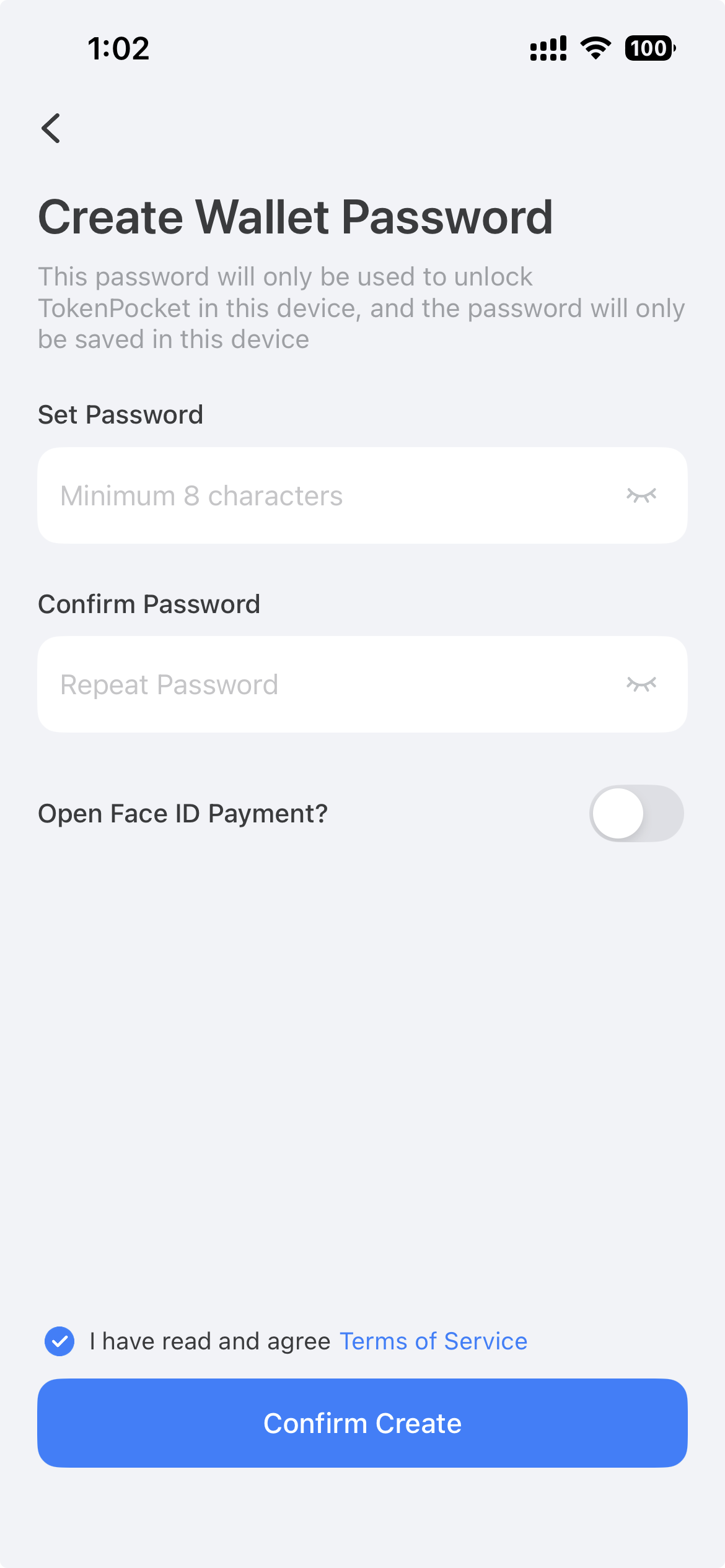
- Set a password for your wallet.
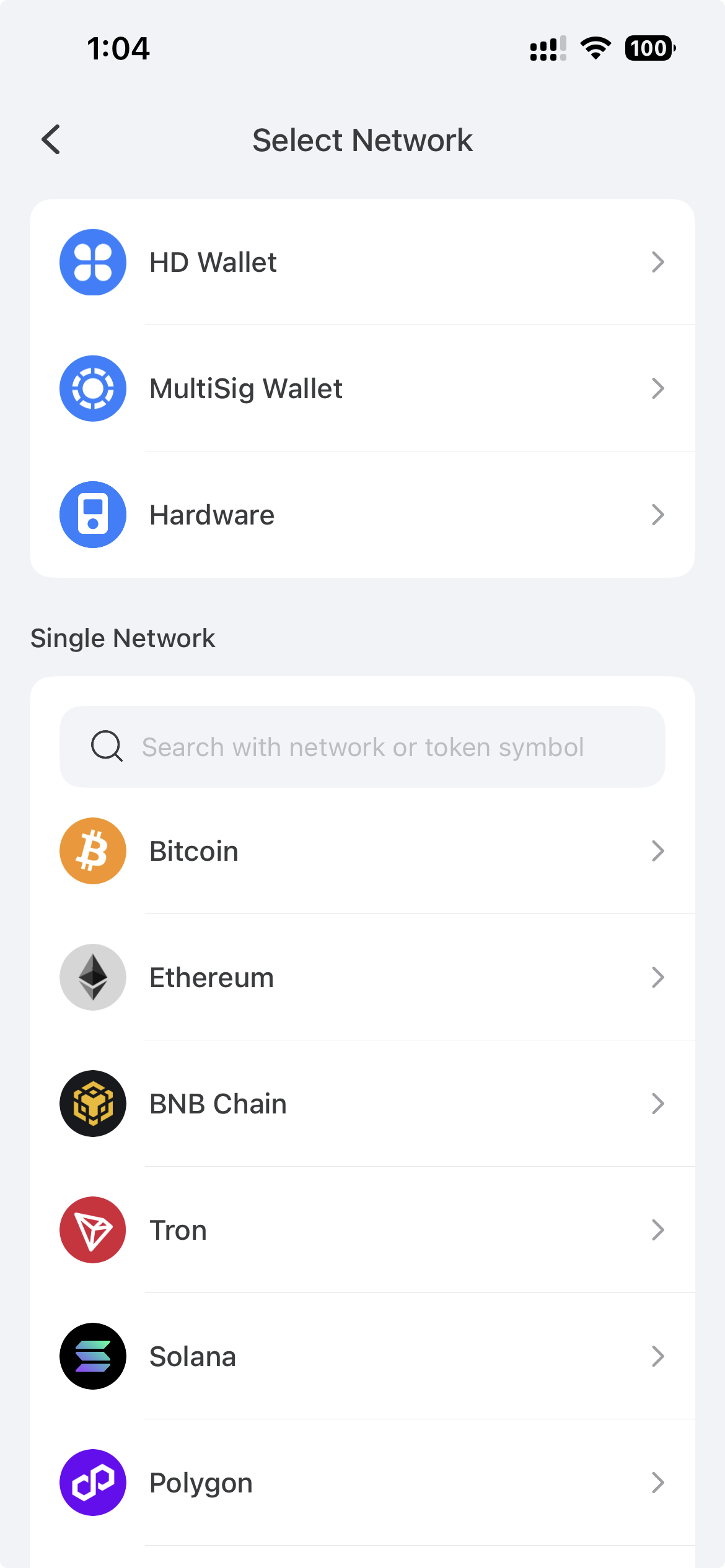
- On the next screen, find Waterfall Network in the list of networks.
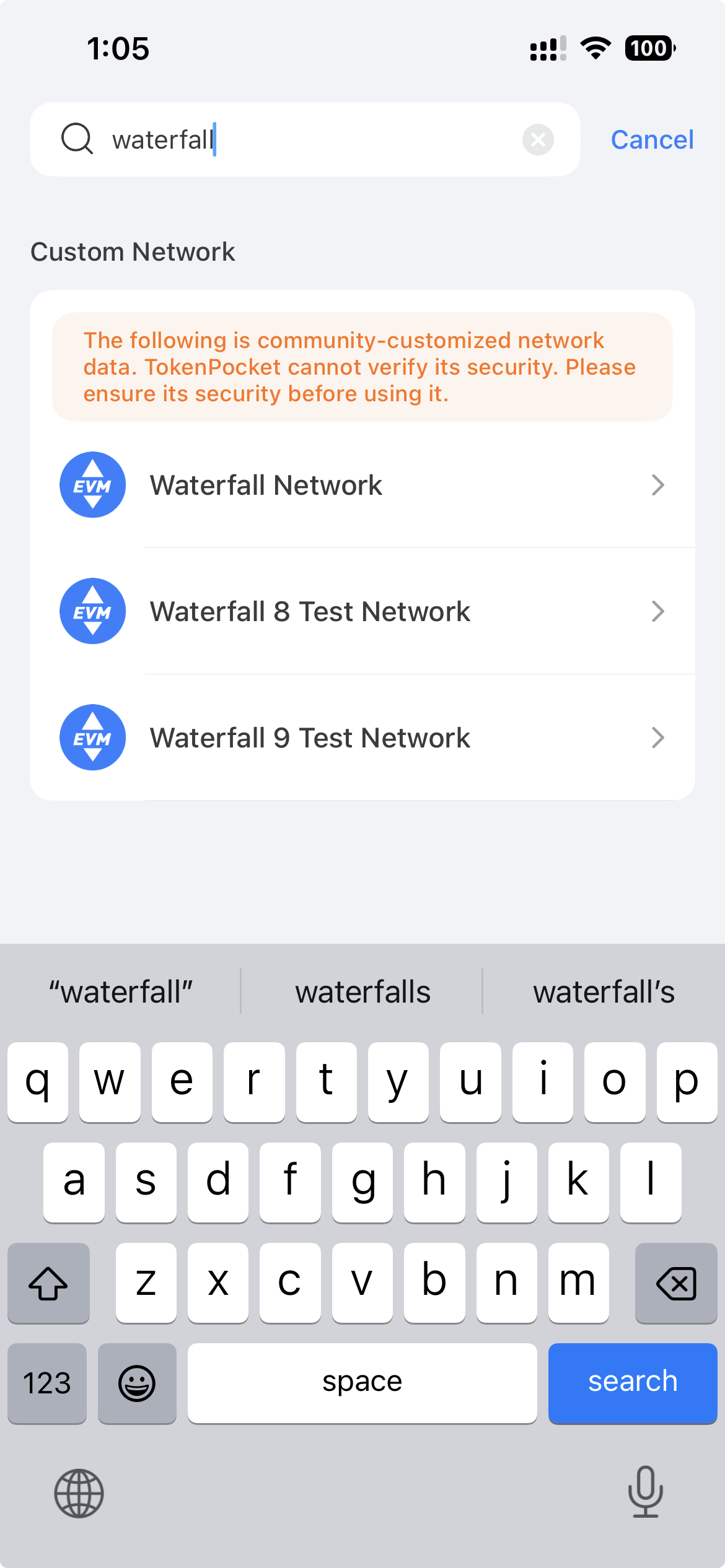
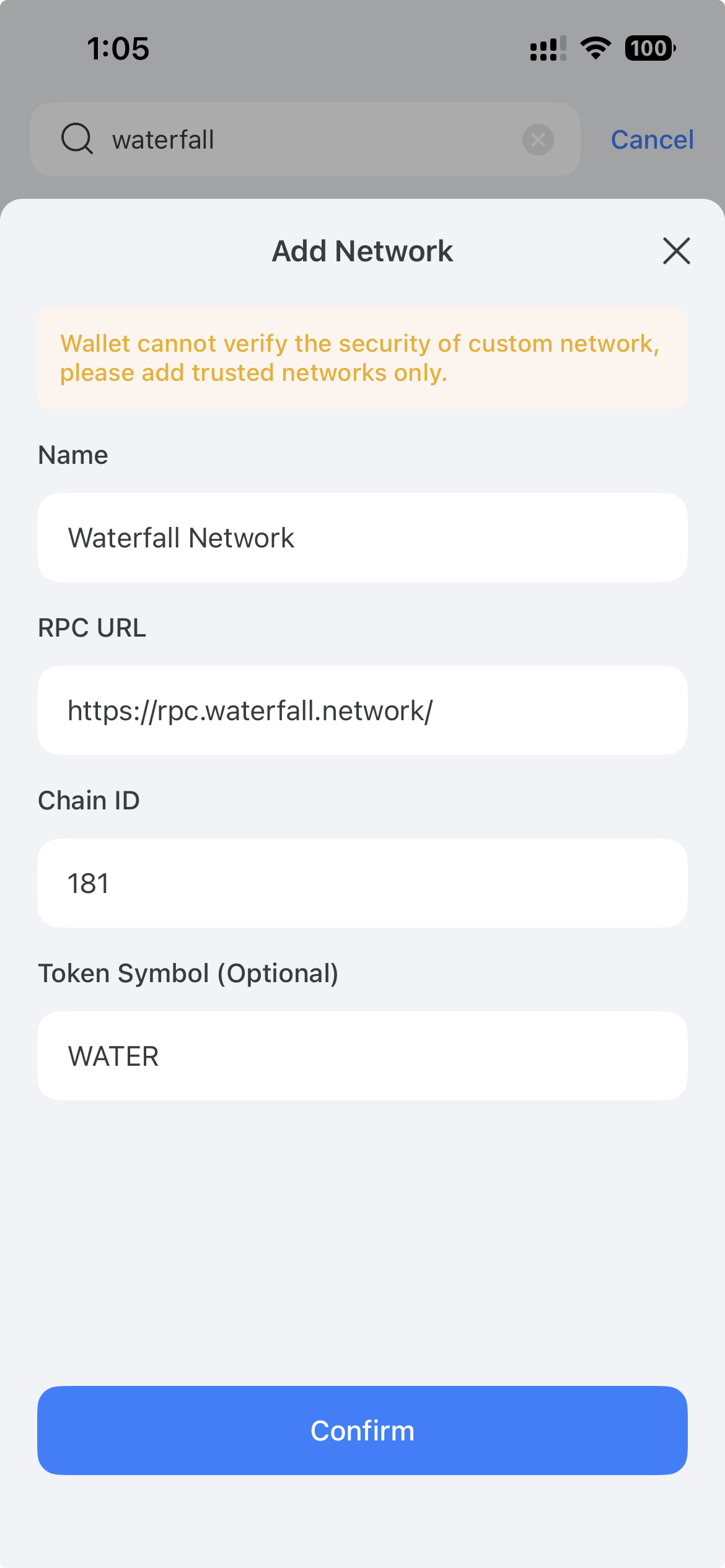
- Carefully check the network parameters and confirm they match:
- Chain ID:
181 - Currency symbol:
WATER
- After confirming, select Waterfall Network and enter a wallet name.
- Create and save your recovery phrase (seed phrase). Write it down and store it in a safe place.
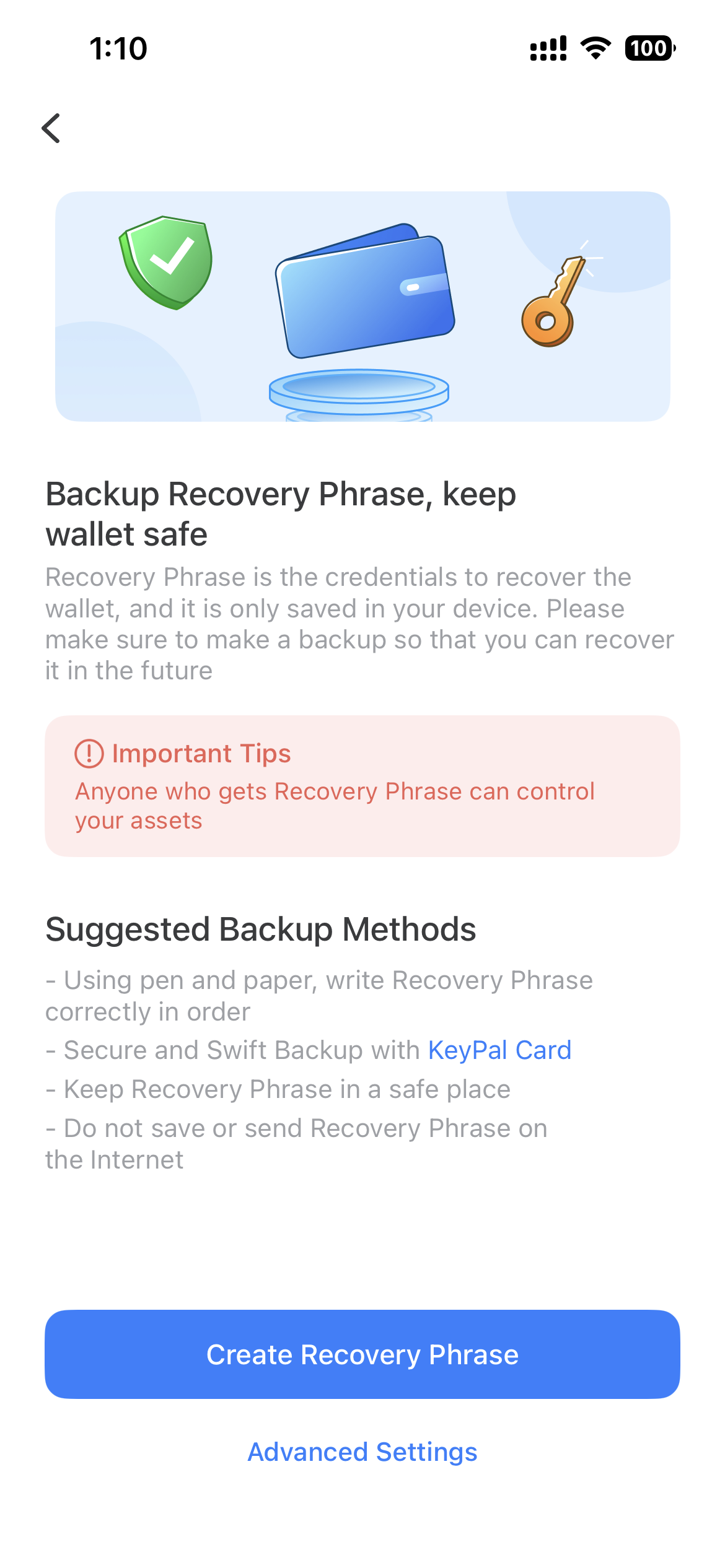
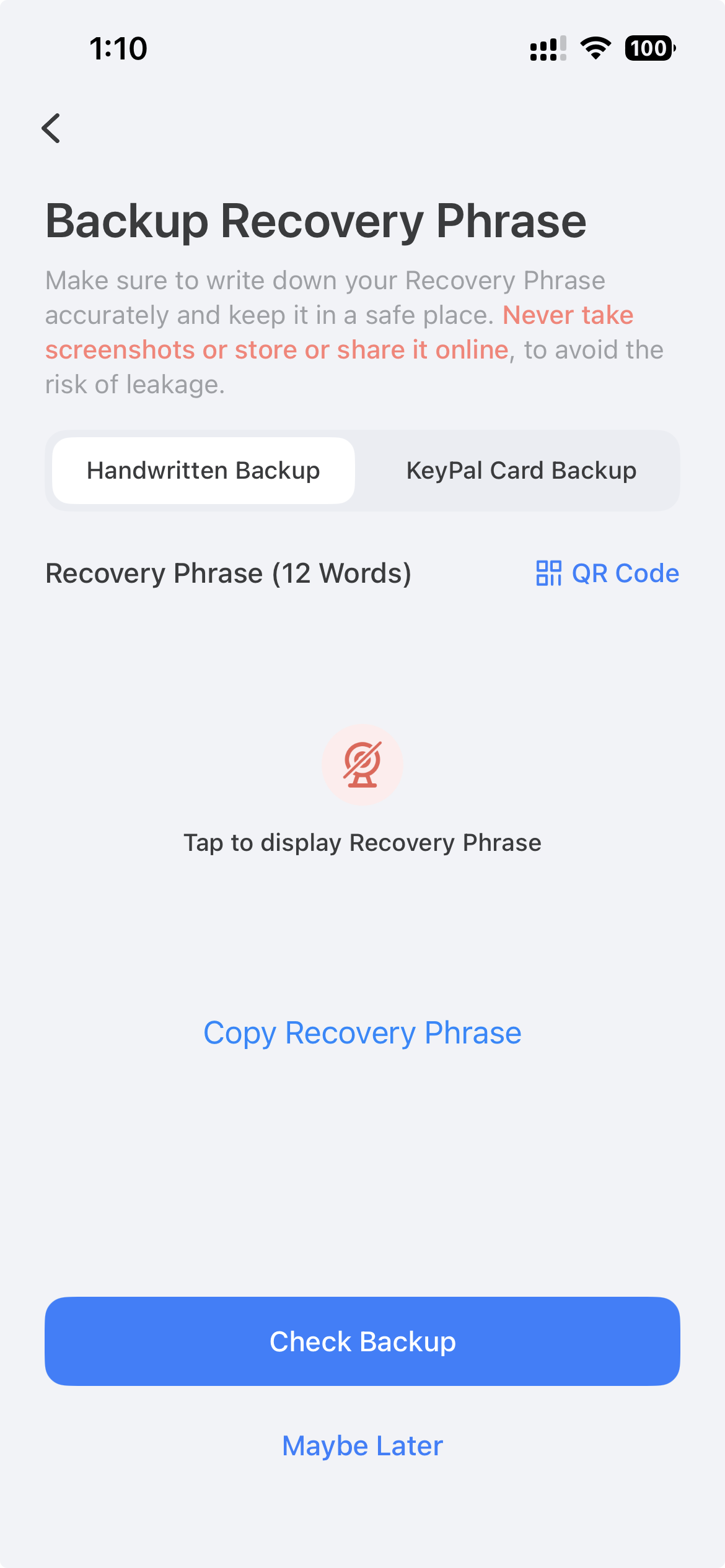
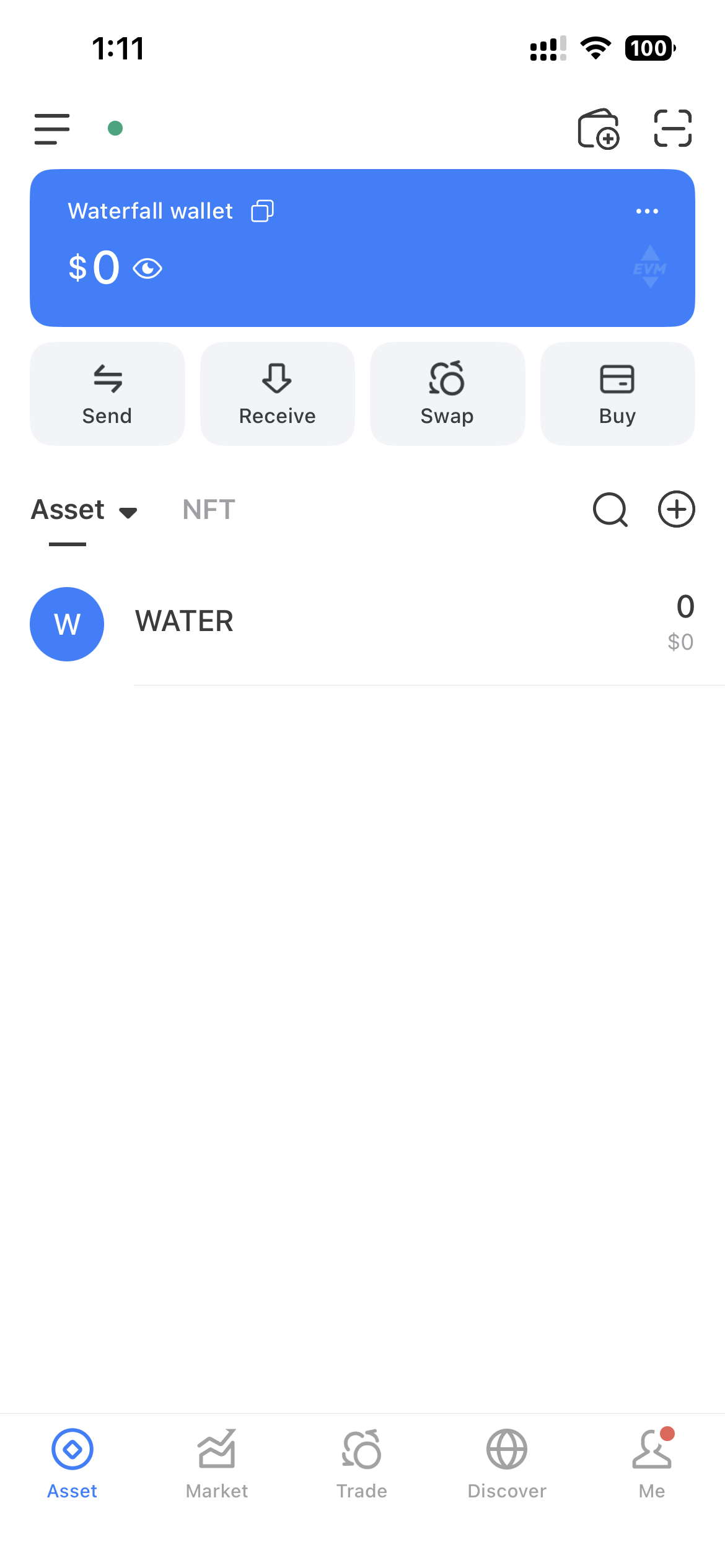
- You will then see the wallet dashboard and can start using TokenPocket to receive and send WATER.
Keep your recovery phrase safe
Never share your recovery phrase with anyone. Anyone with access to it can control your wallet and funds.